

Custom Damage Overlay Color

Custom Damage Overlay Color
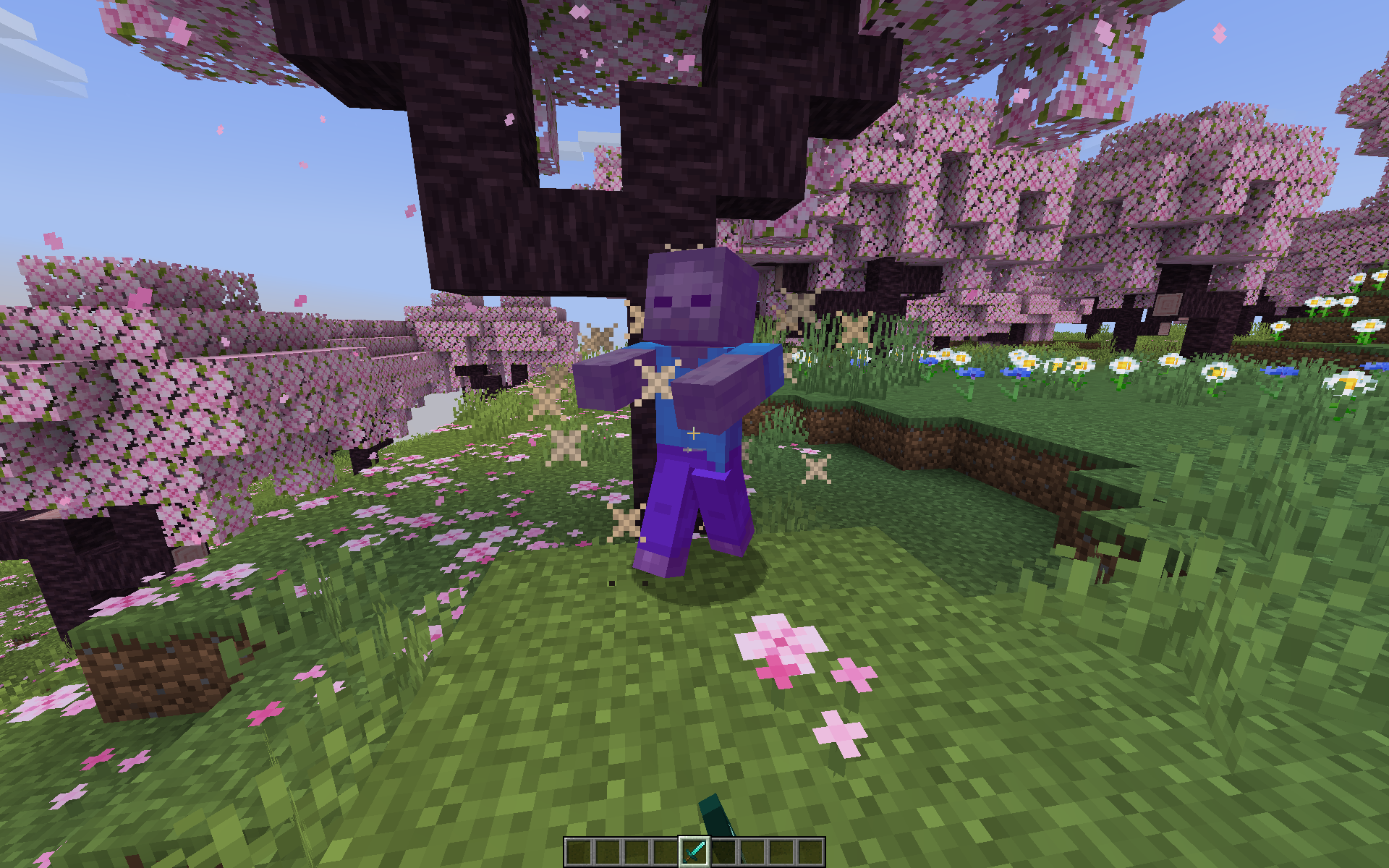
This resource pack allows to change overlay color of all entities when they take damage. By defult this resource pack changes it to green, as an example.
Versions: 1.17 — 1.21.11
Works with both Optifine and Sodium.
How to change the color
Go into the resource pack and open a file assets/minecraft/shaders/include/change_damage_overlay.glsl, choose a color and put it into the second line of the file. For example if you want to change the color to purple (#AA00FF) with 50% transparency, the second line of the file would look like this:
vec4 RGBColor = vec4(170,0,255,127);
And if you want cyan (#00FFFF) color with the same transparency as in vanilla, it would look like this:
vec4 RGBColor = vec4(0,255,255,178);
Все права на данный контент принадлежат его авторам. Мы не храним и не распространяем файлы — страница носит исключительно информационный характер. Оригинальный источник доступен по этой ссылке.
0
0
13 Моды
Моды Плагины
 Текстуры
 Карты
Карты Скины
Скины Сиды
Сиды Новости
Комментарии (0)
Пока нет комментариев
Будьте первым!